

The bank balance in Tally and the balance on your bank statement are almost never the same on the same day. A Bank Reconciliation Statement (BRS) explains the difference and, more importantly, finds the entries that are missing or wrong. Here is how to do it in TallyPrime, step by step.
Why book balance and bank balance differ
| Reason | Example | Action |
|---|---|---|
| Cheques issued, not yet presented | Cheque given to a supplier on 30th, cleared on 3rd | Timing difference; it usually clears in the following days or weeks |
| Cheques deposited, not yet credited | Customer cheque deposited on 31st | Timing difference |
| Bank charges and interest | SMS charges, interest credited | Enter in Tally |
| Direct credits and debits | Customer NEFT, EMI or auto-debit | Enter in Tally |
| Errors | Wrong amount, wrong bank, entered twice | Correct the voucher |
Before you start
- Get the bank statement for the full month (PDF or Excel).
- Make sure all bank entries for the month are recorded in Tally. If many are missing, import the statement first instead of typing it.
- Note the closing balance on the statement.
Step-by-step BRS in TallyPrime
- Open the bank ledger for reconciliation: from Gateway of Tally go to Banking → Bank Reconciliation and select the bank ledger.
- Set the period to the month you are reconciling.
- Enter the Bank Date for every transaction that appears on the bank statement, using the date it shows in the bank. Leave it blank for items not yet in the bank.
- Check the summary at the bottom: balance as per company books, amounts not reflected in the bank, and balance as per bank. The balance as per bank should equal the closing balance on your statement.
- Investigate any remaining difference. It means an entry is missing in Tally, entered with a wrong amount, or entered twice.
- Record the missing items (charges, interest, direct receipts and payments), then reconcile them too.
Tip: work from the bank statement down, not from Tally up. Every line on the statement must either be reconciled in Tally or tell you that a voucher is missing.
Make BRS fast: get the bank entries into Tally first
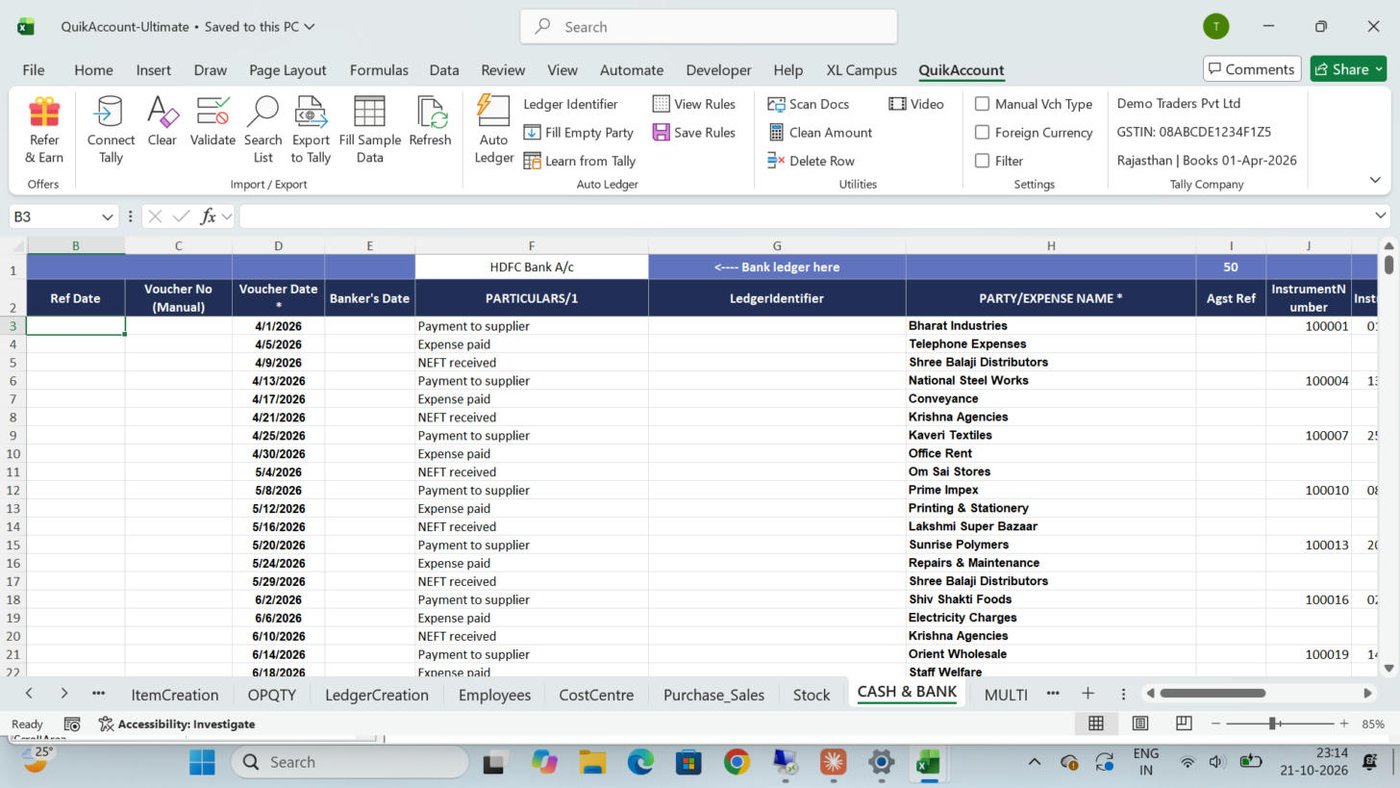
The slowest part of BRS is usually not reconciling; it is entering the dozens of bank lines that were never recorded. Importing the statement solves this:
- Import a bank statement from Excel, or directly from a PDF, including scanned statements.
- QuikAccount's Auto Ledger learns from your Tally data and suggests the ledger for each bank line, so only new or unusual items need your attention.
- With every bank line already in Tally, reconciliation becomes a quick check instead of a hunt.
Good BRS habits
- Reconcile every month, or every week for busy accounts.
- Follow up cheques older than 30 days that are still not presented.
- Keep a copy of the statement and the BRS report for audit.
- Never leave entries in a suspense ledger across month-end.
Download the free trial to try it.
Want to see it on your own data? Call +91 93584 44502 or message us on WhatsApp for a free demo, and see QuikAccount pricing for the editions.